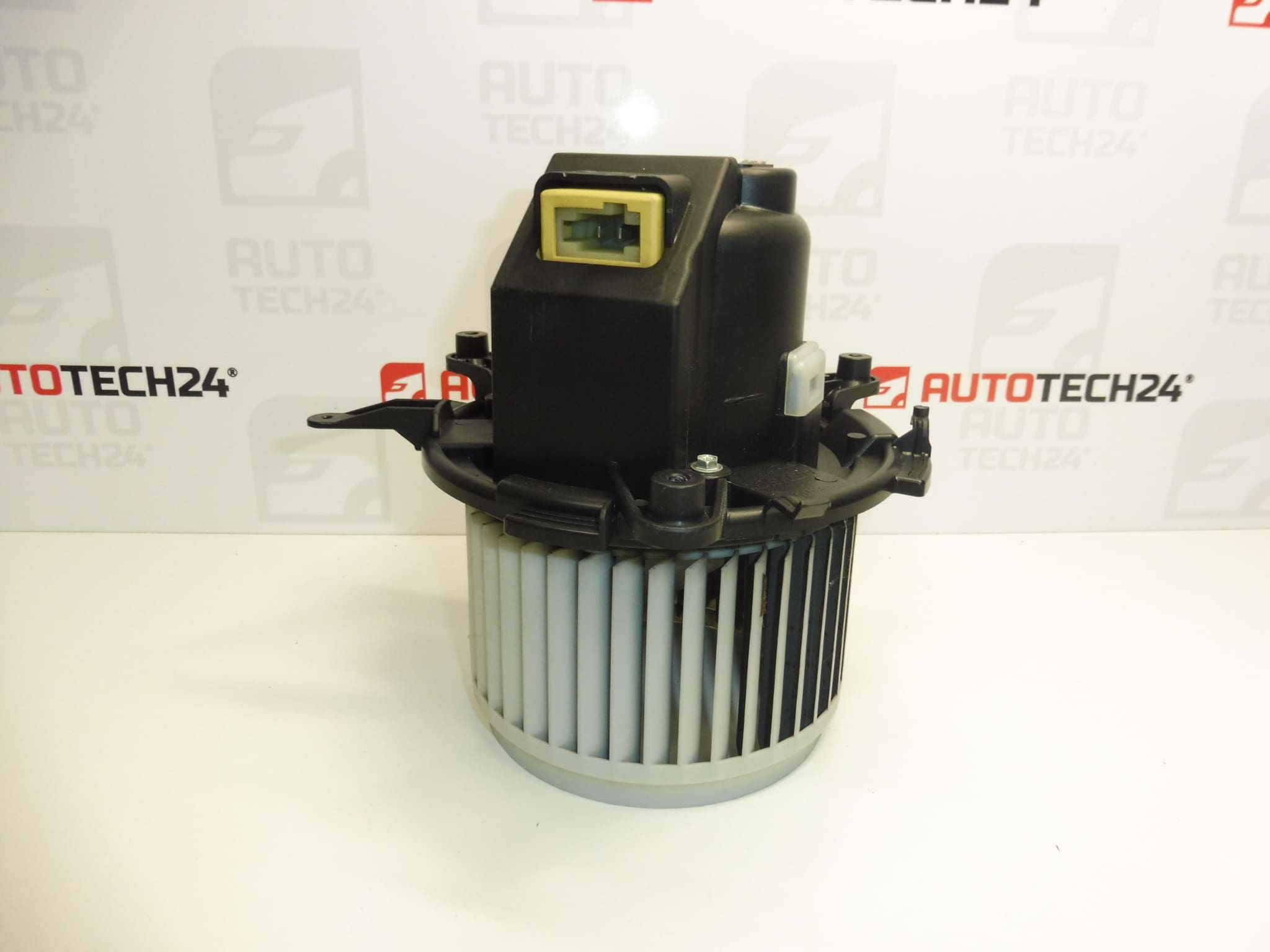
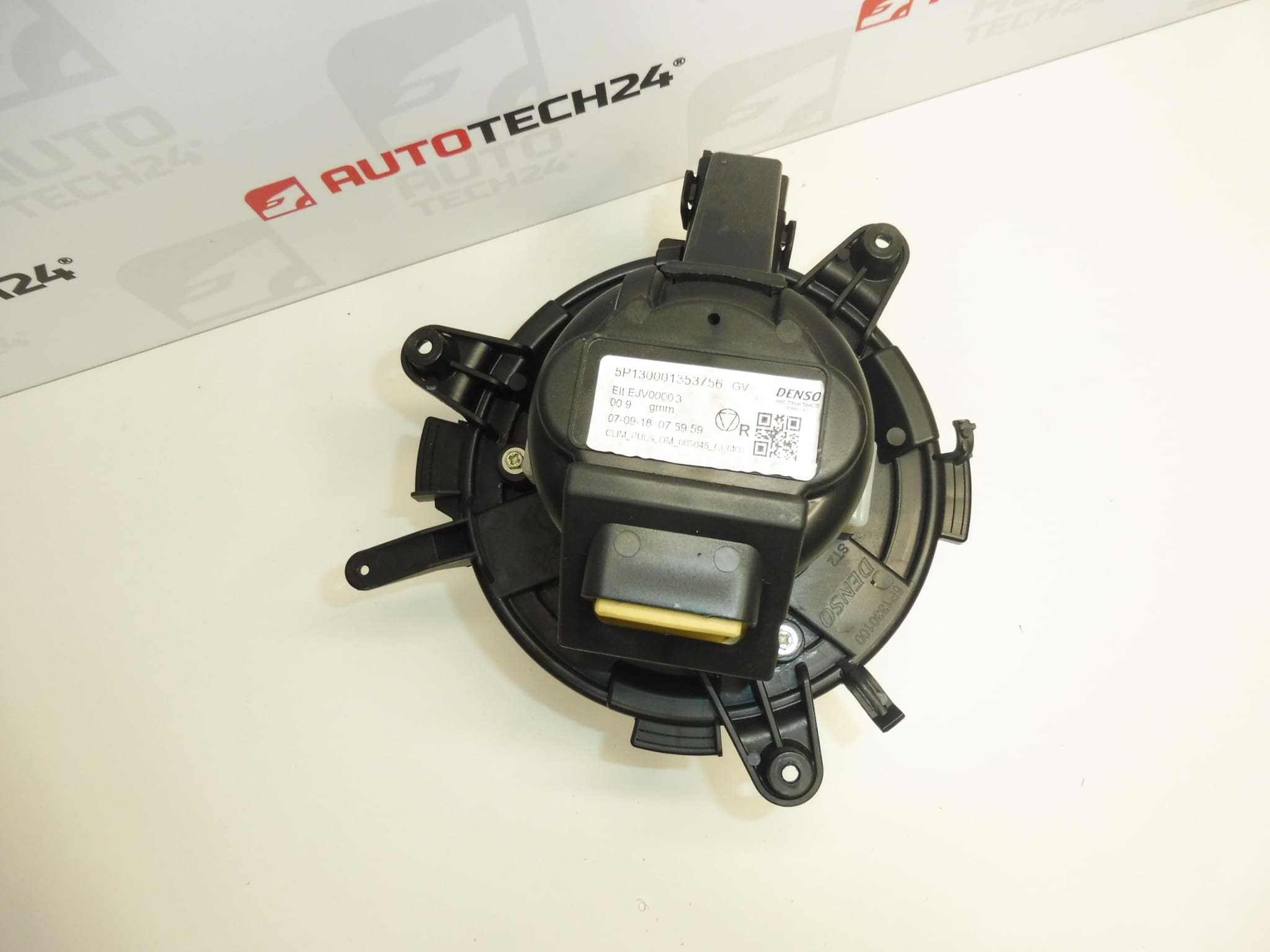
Description
Air Conditioning Blower Fan For Stellantis Group Vehicles: Citroën, Peugeot, Opel, Fiat, Toyota
This replacement heater/blower fan assembly is designed for a range of Stellantis passenger vans and compact cars. It restores reliable airflow to the HVAC system, ensuring efficient heating, ventilation and air conditioning performance. The unit is suitable for professional workshops and DIY mechanics who need a direct-fit part that often appears under OE product codes 9821292180 and 9849717380.
Key Benefits
- Direct Fit: Designed To Match Original Mounting Points And Electrical Connector For Easy Installation.
- Improved Cabin Comfort: Restores Proper Airflow For Faster Heating And Cooling Of The Interior.
- Durable Construction: Built To Withstand Continuous Operation Typical For HVAC Blower Motors.
- Commonly Searched By Part Number: Customers Frequently Search Using OE Codes 9821292180 Or 9849717380.
Compatibility
Typical Fitment Includes Vehicles From The Stellantis Range Such As Citroën Berlingo (K9 / Berlingo III), Peugeot Partner III, Peugeot Rifter, Opel Combo (K9 / Combo E) And Related Models Listed In Parts Catalogues. Always Check The Part Numbers Against The Vehicle’s Requirements Before Ordering.
Function And Common Symptoms
The Blower Fan Motor Forces Air Through The Heater Core And Evaporator To Provide Cabin Ventilation, Heating And Air Conditioning. When The Unit Starts To Fail, Typical Symptoms Include:
- Reduced Airflow From Vents Or Slow Fan Speeds.
- Clicking, Grinding Or whirring Noises Coming From The Dash.
- Intermittent Operation Or Loss Of Function At Certain Fan Speeds.
- Unusual Odors Indicating Debris Or Moisture Accumulation In The Housing.
Why The Part Fails
Blower Fans Fail Most Frequently Due To Mechanical Wear And Environmental Contamination. The Most Common Causes Are:
- Worn Bearings Or Motor Brushes Causing Noise And Reduced Efficiency.
- Accumulation Of Leaves, Dust Or Debris Inside The Fan Housing Leading To Imbalance And Overload.
- Moisture Ingress Or Corrosion Of Electrical Contacts.
- Electrical Problems In The Vehicle (Loose Connector, Corroded Pins Or Faulty Resistor/Control Module) That Stress The Motor.
Replacement Guide
Typical Replacement Steps For Workshops And Experienced DIY Mechanics:
- Disconnect Battery Before Starting Work To Avoid Short Circuits And Protect Electronic Systems.
- Remove Lower Dash Trim Or Glovebox To Gain Access To The Blower Housing (Procedure Varies By Model).
- Unplug Electrical Connector And Remove Mounting Screws Holding The Blower Assembly.
- Extract Old Unit Carefully, Inspect Ducting For Debris, And Clean The Housing Before Installing The New Fan.
- Fit New Blower, Secure Mounting Screws, Reconnect Electrical Connector And Reassemble Trim Panels.
- Test All Fan Speeds And HVAC Functions Before Returning The Vehicle To Service.
Installation Recommendations
- Use Correct Torque For Fasteners And Replace Any Damaged Clips Or Seals.
- Inspect And Clean The Evaporator Drain And HVAC Ducts To Prevent Recurrence Of Contamination.
- Check Wiring And Connector Pins For Corrosion; Repair Any Damaged Insulation.
- Replace Related Items If Necessary (For Example Resistor Or Fan Control Module) When Diagnosing Electrical Issues.
- Perform A Function Test Across All Fan Speeds After Installation To Confirm Proper Operation.
Technical Information
- Manufacturer: Stellantis (Citroën / Peugeot)
- Model: Berlingo III (K9), Partner III, Rifter, Opel Combo (K9 / Combo E) And Related Stellantis Models
- Product Codes: 9821292180, 9849717380
- Other Numbers: See Vehicle Parts Catalogues And Supplier Cross-References For Additional References
If You Are Replacing The Blower Fan In A Professional Workshop Environment, Follow The Vehicle Manufacturer’s Service Manual For Model-Specific Removal And Installation Instructions. Proper Diagnosis Of The Entire HVAC Circuit Will Help Prevent Repeat Failures.