Description
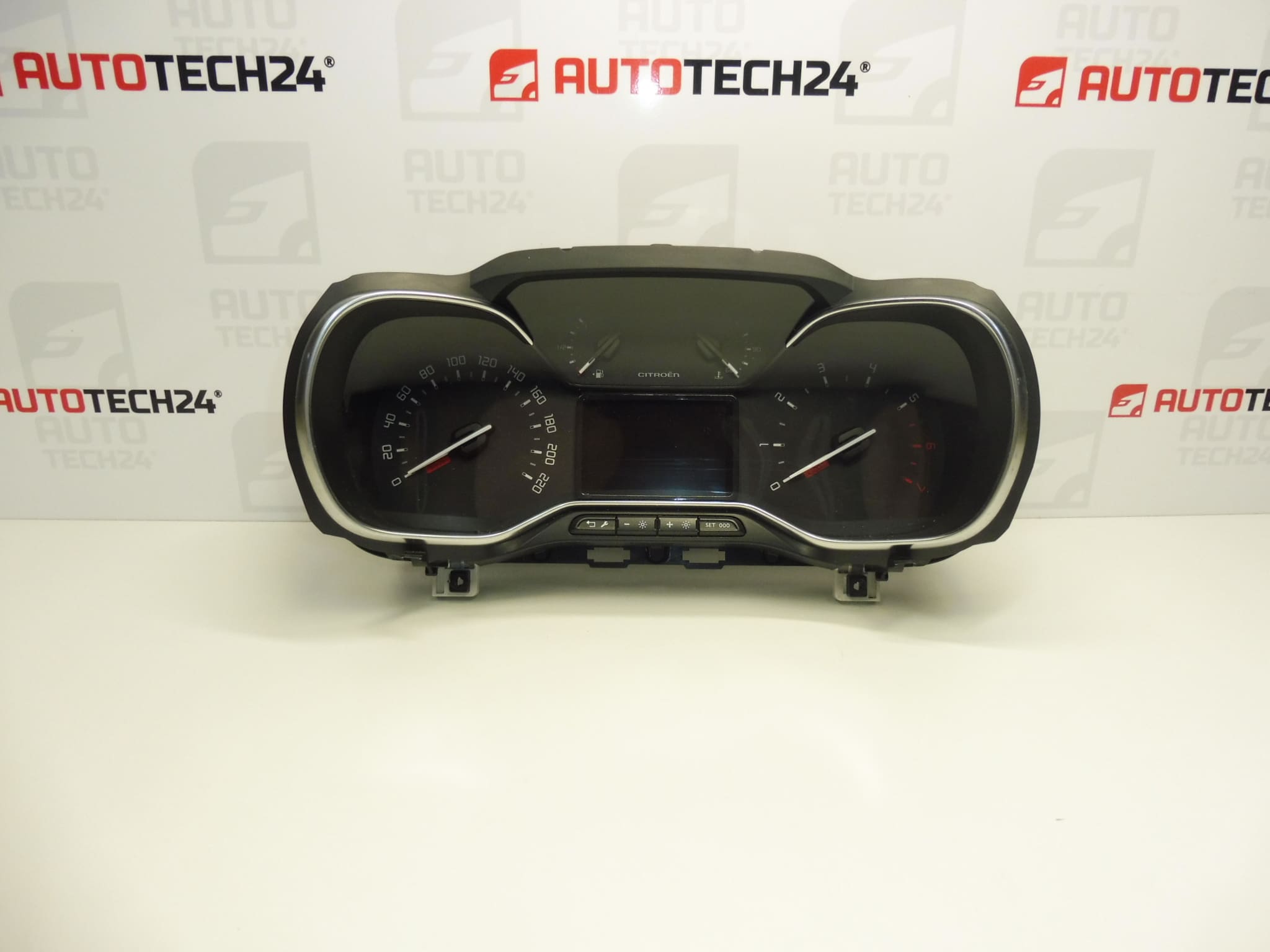
Instrument cluster for vehicles from the Stellantis group
Mileage: 88,200 km
Part description
Used speedometer – dashboard instrument cluster bearing part number 9817788180 is listed in the records for Citroën Berlingo K9, OPEL COMBO E K9, PEUGEOT PARTNER III and PEUGEOT RIFTER vehicles. The instrument cluster displays driving data and operating alerts. Replacing it may be a solution if the display is faulty or the original unit is not working, provided diagnostics confirm that the fault is directly in the unit.
The part is listed with mileage of 88,200 km and an additional number, 9838093680. When selecting a replacement, compare the original part number, connectors and instrument configuration. The model name alone does not guarantee that the configuration is the same. A used part offers a repair option without having to purchase a new instrument cluster.
Technical information
- Manufacturer: not specified
- Model: Citroën Berlingo K9 | OPEL COMBO E K9 | PEUGEOT PARTNER III | PEUGEOT RIFTER
- Additional numbers: 9838093680
- Main part number: 9817788180
- Part type: dashboard instrument cluster / speedometer
- Group listed in the records: Stellantis
- Listed mileage: 88,200 km
- Condition: used car part
Product codes
- Product codes: 9817788180, 9838093680
When looking for a replacement speedometer, compare the full product number. Both numbers are listed in the records for this offer; their presence does not in itself confirm that all instrument variants are interchangeable.
Installation recommendations
In general, the following applies to this type of part: replacing the instrument cluster requires careful handling of the electronics, connectors and dashboard trim. The procedure below is general; the exact removal, power disconnection and any required setup depend on the specific model and vehicle configuration. The records do not state whether this unit requires coding or adaptation.
1) Before installation
- First, verify the cause of the fault. Similar symptoms can be caused by the power supply, wiring or a poor connection, rather than the instrument cluster itself.
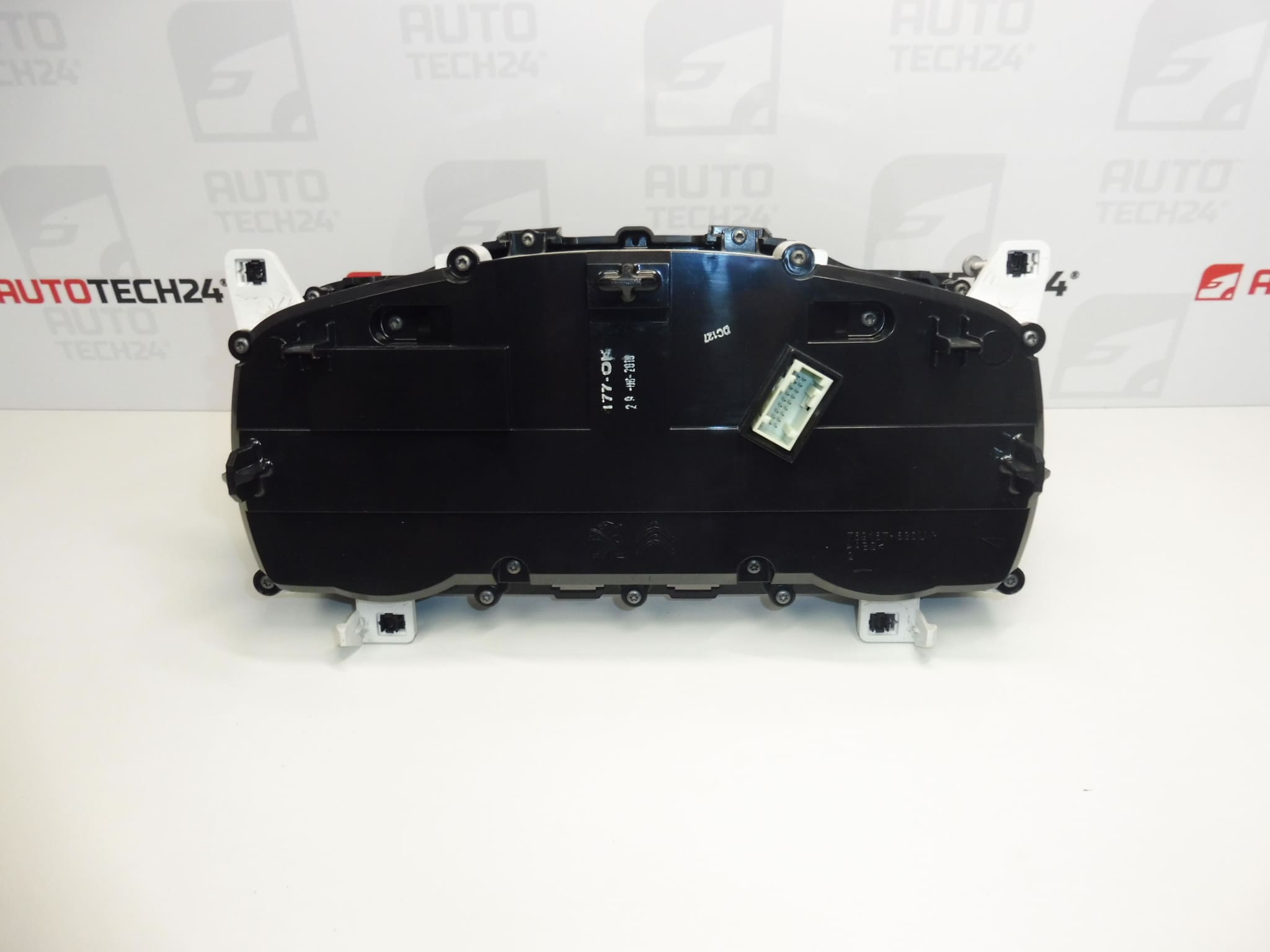
- Compare the part numbers, housing shape, mounting points, connectors and display configuration with the original unit.
- Inspect the cover, clear lens, mounts and contacts on the used part. Look for cracks, corrosion and signs of moisture.
- Record the mileage on the original instrument cluster and any available diagnostic data. The stated 88,200 km does not guarantee the value that will be displayed after installation in another vehicle.
- Before connecting it for the first time, find out the required procedure for handling the mileage reading and any instrument setup.
2) Tools and materials required
- Standard hand tools suitable for the fasteners used.
- Plastic tools for careful trim removal.
- Protective mat, soft clean cloth and a container for fasteners.
- Diagnostic equipment suitable for the vehicle, if needed for checking or setup.
3) Step-by-step installation procedure
- Secure the vehicle to prevent movement, switch off the ignition and obtain the service procedure for the specific configuration.
- If possible, record the original instrument cluster’s operation, mileage and diagnostic results before disconnecting the power supply.
- Allow the electronics to enter a rest state and disconnect the battery in accordance with the vehicle manufacturer’s instructions.
- Carefully remove the trim needed to access the instrument cluster. Do not use force against hidden clips.
- Release the instrument cluster mounting and carefully pull it out far enough to avoid straining the wires.
- Release the connector locks and disconnect them by holding their housings, not by pulling on the wires.
- Compare the two instrument clusters side by side and inspect the wiring and connector counterparts. Repair any damage found before proceeding.
- Connect the replacement instrument cluster, secure the connectors and fit it without trapping the wiring. Tighten the fasteners according to the service instructions.
- Restore the power supply using the specified procedure. If setup is required for the specific configuration, have it performed using suitable diagnostic equipment.
- Check the basic functions and refit the trim. Make sure all clips and covers are properly secured.
4) Post-installation checks and function verification
Check the display legibility, backlighting, warning lights and displayed information, as applicable to the vehicle’s equipment. Also check the mileage and any diagnostic faults. Handle the mileage reading transparently and in accordance with legal requirements; document the instrument cluster replacement. Only carry out a short test drive after a successful stationary check, paying particular attention to the speed display and any interruptions.
5) Common installation errors and how to avoid them
- Selecting a part based only on the vehicle model: also compare the product number, connectors and configuration.
- Handling connectors while powered: follow the specified procedure for switching off the electronics and disconnecting the battery.
- Damaging clips or contacts: release the locking tabs first and do not use excessive force.
- Connector not fully latched or harness pinched: check that the connectors are secured and the wiring is routed correctly before refitting the covers.
- Assuming it will work immediately without setup: check the adaptation requirements in the service procedure before connecting the replacement part.
Reasons why the part may be damaged
The following are general causes of damage that can occur in instrument clusters. They do not describe the condition found in the offered part.
- Moisture and condensation causing contact corrosion or damage to the electronics.
- Power supply fluctuations and overvoltage, for example due to a fault in the electrical system or improper handling of the battery.
- Aging electronic components and prolonged exposure to temperature stress, which can lead to display interruptions.
- Vibration and mechanical stress affecting electrical connections and mounting.
- Careless removal or unsuitable cleaning, which can break mounts, damage connectors or scratch the clear cover.