Description
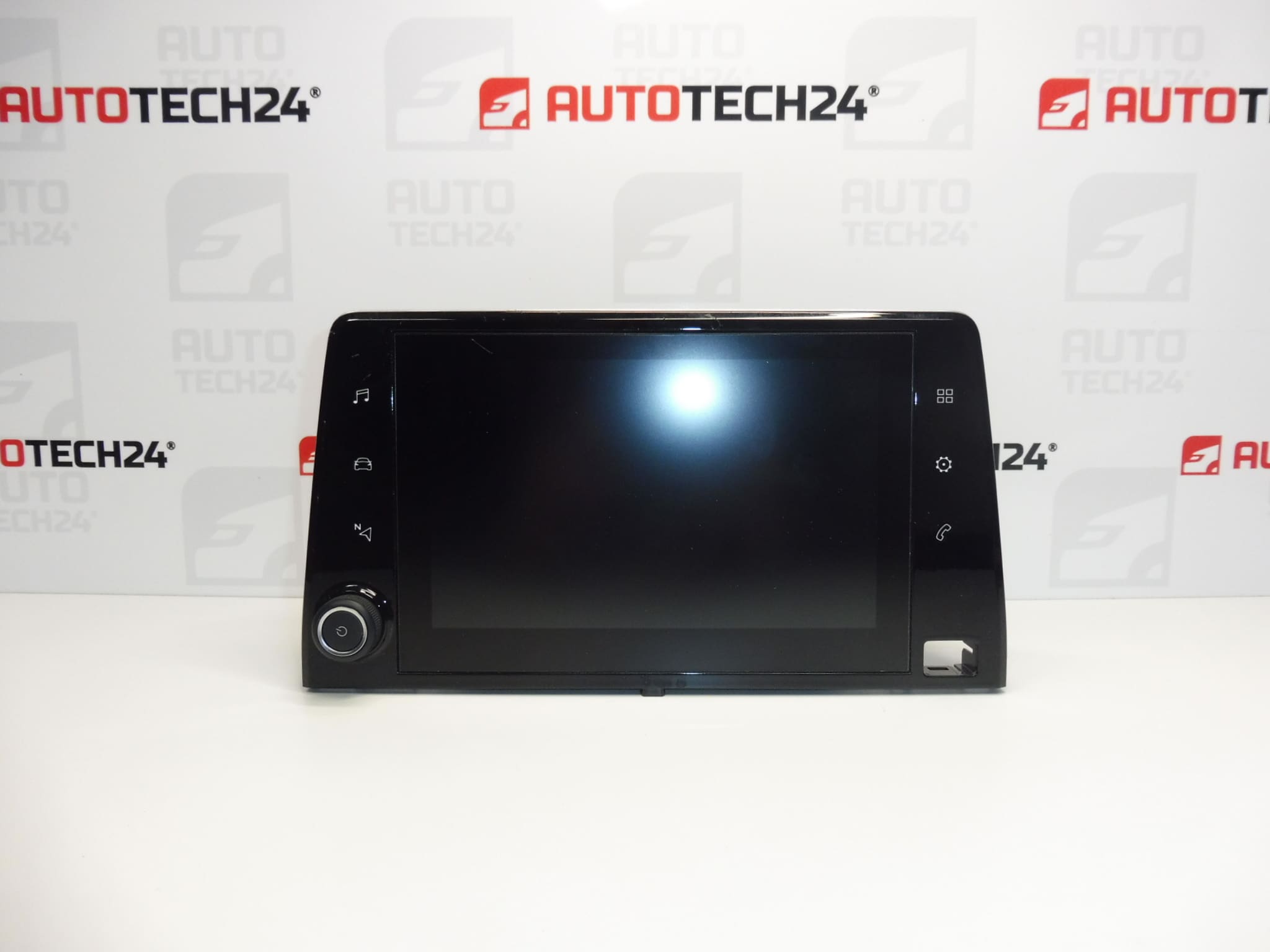
Multifunction video screen for Stellantis Group vehicles
Some functions may need to be initialized using diagnostic equipment
Part description
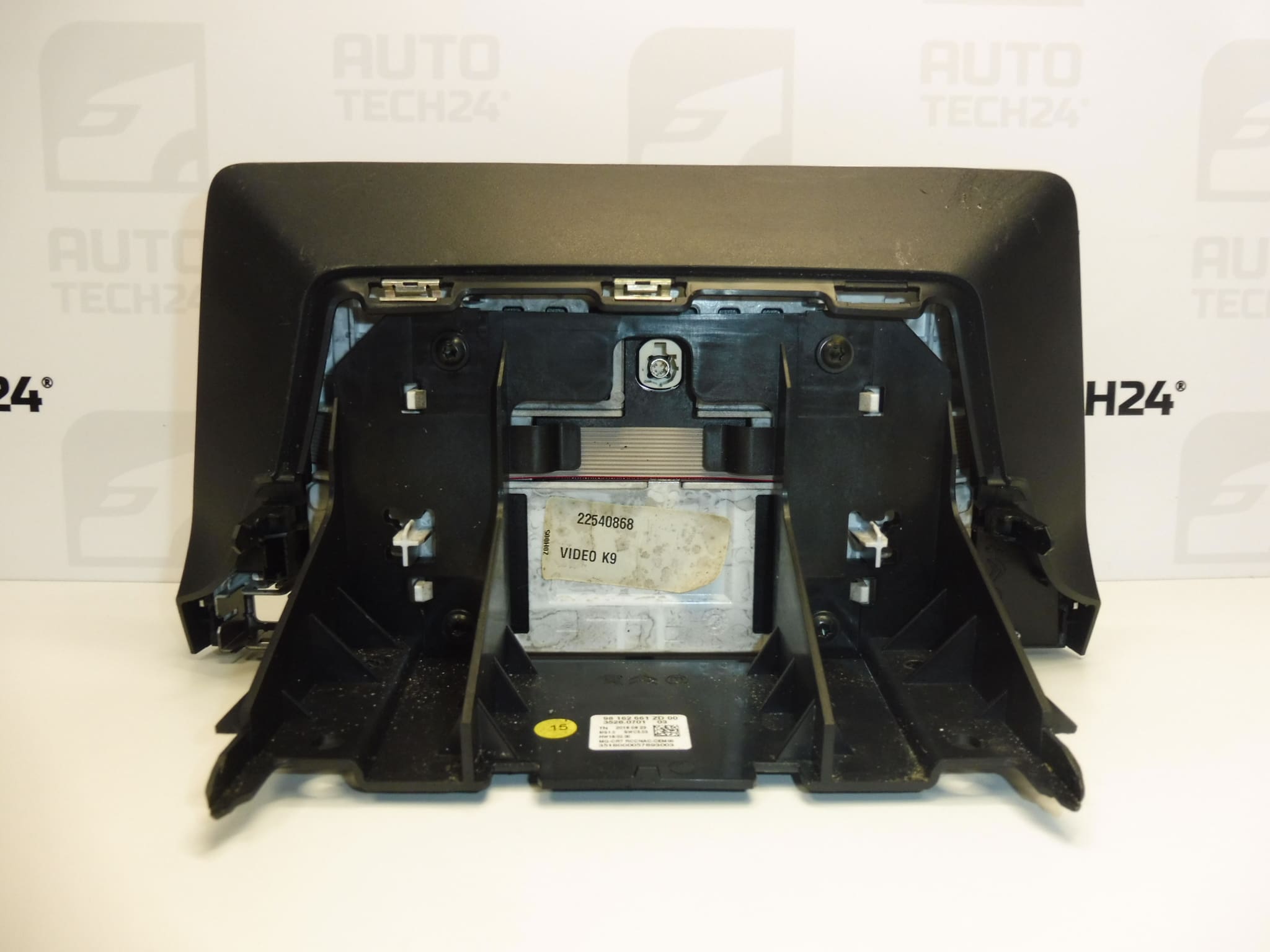
The used radio and onboard computer display 98162661ZD is a multifunction screen for the Citroën, Peugeot, and Opel vehicles listed below. It displays information from the relevant onboard system; the specific range of functions depends on the vehicle’s equipment and configuration.
If you are dealing with an unreadable image, display interruptions, or damage to the existing screen, replacing the display may be a suitable solution once the cause of the fault has been verified. When selecting a replacement, compare the product numbers, connectors, and configuration of the original part. After installation, some functions may need to be initialized using diagnostic equipment.
Technical information
- Manufacturer: Stellantis – according to the supplied information.
- Model: Citroën Berlingo K9 | OPEL COMBO E K9 | PEUGEOT PARTNER III | PEUGEOT RIFTER.
- Part type: multifunction video screen / radio and onboard computer display.
- Condition: used car part.
- Main product number: 98162661ZD.
- Other numbers: 9828422080, 9830426480.
- Commissioning: some functions may require initialization using diagnostic equipment.
Product codes
- Product codes: 98162661ZD, 9828422080, 9830426480.
The numbers are listed in the information supplied for this product. The same vehicle model alone does not guarantee compatibility with all display variants; the configuration and compatibility with the onboard electronics are also important.
Installation recommendations
General information for this type of part: the following procedure is a general guide to replacing a vehicle display. The exact removal of trim, mounting method, and any initialization depend on the specific vehicle model and equipment. Follow the manufacturer’s service procedure.
1) Before installation
- Compare the markings on the original and replacement parts, the shape of the housing, mounting points, and the number and type of connectors.
- Inspect the screen, housing, mounts, and contacts. Check for cracks, bends, corrosion, or signs of moisture damage.
- First rule out a fault in the power supply, wiring, or connected system. A display failure may not be caused by the display itself.
- If possible, record the original settings and symptoms of the fault for comparison afterward.
2) Required tools and materials
- Plastic trim removal tools for careful removal of trim.
- Hand tools suitable for the fasteners used.
- A soft, clean work surface, a screen-cleaning cloth, and protection for surrounding surfaces.
- Suitable diagnostic equipment for checking the system and initializing functions if necessary.
3) Step-by-step installation procedure
- Park the vehicle safely, switch off the ignition and electrical accessories.
- Allow the electronics to enter sleep mode and disconnect the battery according to the vehicle manufacturer’s procedure.
- Cover surrounding surfaces to prevent scratches during the work.
- Following the service procedure, remove the trim needed to access the display. Do not use excessive force to overcome resistance from the clips.
- Release the original display’s fasteners and carefully slide it out far enough to avoid straining the wiring.
- Note the cable routing, release the connector locks, and disconnect them by holding their housings, not the wires.
- Check the condition of the connectors and wiring. Resolve any damage before connecting the replacement part.
- Connect the matching connectors to the replacement display and check that their latches are properly secured.
- Position and secure the display without tension. Cables must not be pinched or routed over sharp edges. Reinstall the trim following the service procedure.
- Restore the power supply according to the manufacturer’s instructions, check operation, and perform diagnostic initialization if required.
4) Post-installation checks and function verification
With the vehicle stationary, check image clarity and stability, response to the available controls, and display of functions supported by the vehicle’s equipment. Also check the system’s behavior after switching it off and back on. If any functions are missing, check the connections and whether initialization using diagnostic equipment is required. If taking a test drive, monitor only the system’s normal operation; do not perform diagnostics or adjustments while driving.
5) Common installation mistakes and how to avoid them
- Choosing based only on the vehicle name: also compare the part numbers and physical configuration.
- Disconnecting while powered: follow the prescribed procedure for shutting down the electronics and disconnecting the battery.
- Damaging connectors or clips: release the locking tabs first and use suitable tools.
- Pressing on the display surface: handle the part by its housing and place it on a soft surface.
- Skipping initialization: limited functionality after replacement does not necessarily mean the display is faulty; some functions may require diagnostic configuration.
Reasons why the part may become damaged
For vehicle displays in general, possible causes of damage include:
- Mechanical impact or excessive pressure on the screen and its housing.
- Moisture and ingress of cleaning products, which can damage the electronics or contacts.
- Prolonged temperature stress and component aging, which may cause reduced readability or intermittent image loss, for example.
- Power supply faults and electrical surges, which may affect electronic circuits.
- Improper removal, which can break mounting points, damage connectors, or strain the wiring.
These causes are general and do not describe the condition of the item offered. Before replacement, it is important to address any external cause of the fault as well, to prevent it from damaging the replacement display.